
Table of Contents
If you’re staring at weak WiFi bars in the far bedroom, you’re not alone. Most US homeowners eventually search wifi booster vs extender trying to figure out which device actually solves slow speeds and dead zones. The problem? The terminology is confusing, product pages contradict each other, and many guides skip the real-world differences.
This expanded, 2000-word guide breaks everything down simply, using homeowner-friendly examples and up-to-date sources. By the end, you’ll know exactly which option fits your home, and how to set it up properly so you get the fastest possible connection.
What a WiFi Extender Actually Does (and why it matters in the wifi booster vs extender debate)
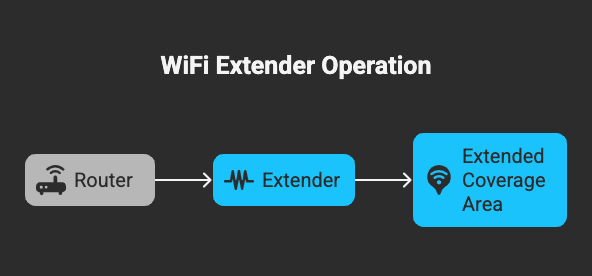
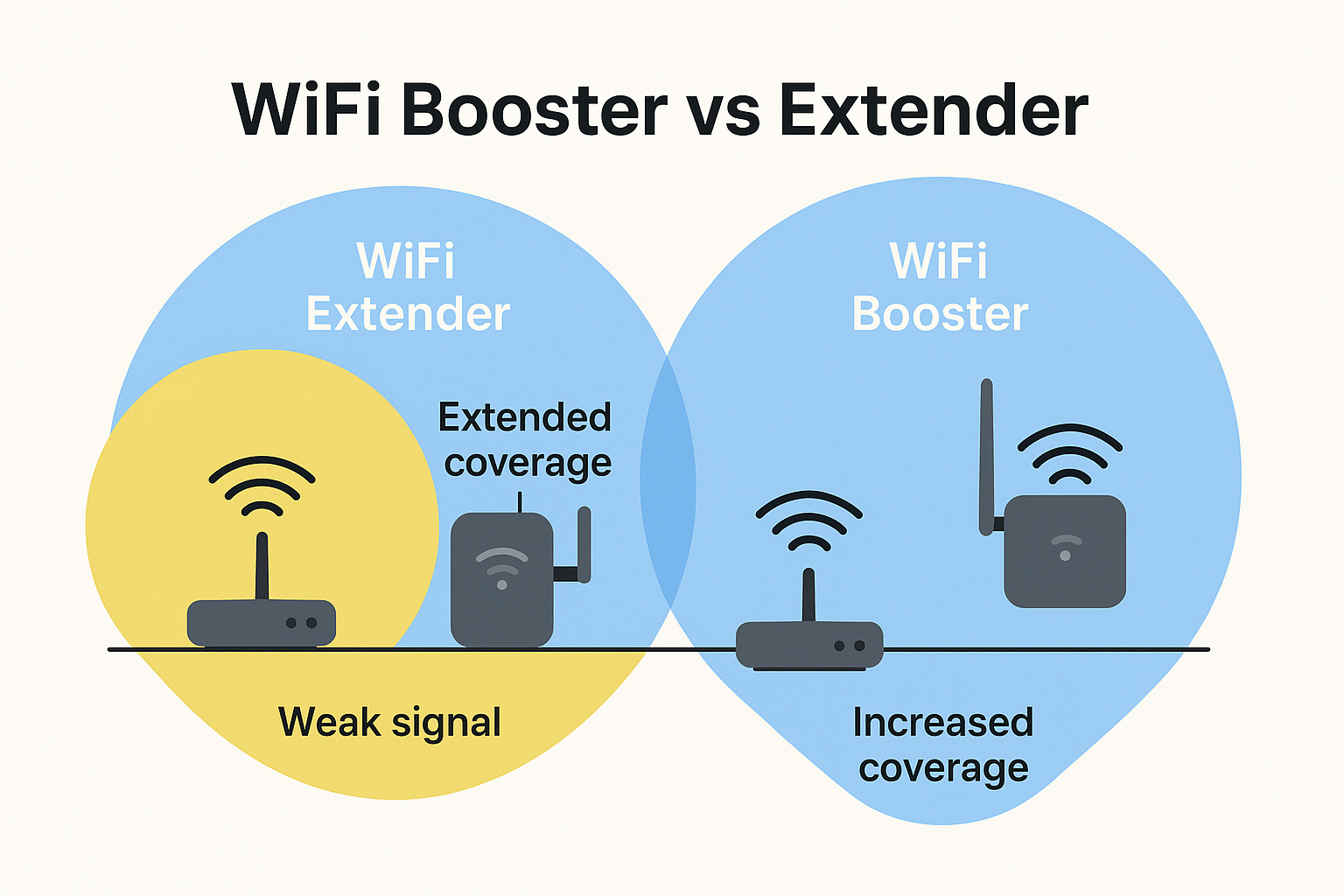
A WiFi extender receives your router’s existing wireless signal and rebroadcasts it to areas with weak or no coverage. It doesn’t replace your router, it simply repeats the signal. This makes extenders great for households where the router is too far from certain rooms.
Netgear explains this clearly in its networking guide, noting that extenders are best for homes with dead zones created by distance or walls. (Netgear: WiFi extender basics).
How a WiFi extender works
- It connects wirelessly to your router.
- It rebroadcasts the same network into another part of the house.
- Devices in that area connect to the extender instead of the router.
This simple design is why extenders are often marketed heavily in wifi booster vs extender comparisons. They’re usually the most affordable option, but they come with trade-offs.
Pros of a WiFi extender
- Expands coverage into far rooms or across floors.
- Affordable and widely available.
- Easy installation using mobile apps or WPS.
- Works with nearly all routers.
Cons of a WiFi extender
- Can reduce speeds in the extended area.
- Some models create a separate WiFi name (e.g., “Home-EXT”).
- Latency may increase, which affects gaming or video calls.
Wired’s testing shows that extenders often provide slower speeds because they rely on the same wireless band to receive and transmit data. (Wired: Extender performance tests).
When a WiFi extender is the right pick
Choose an extender if:
- You only need to fix one or two specific dead zones.
- Your router is in a permanent spot and can’t be moved.
- You’re okay with slightly reduced speeds as long as the room gets coverage.
For many homeowners comparing wifi booster vs extender, this is the simplest and most predictable solution.
What a WiFi Booster Does (and why people confuse it with an extender)
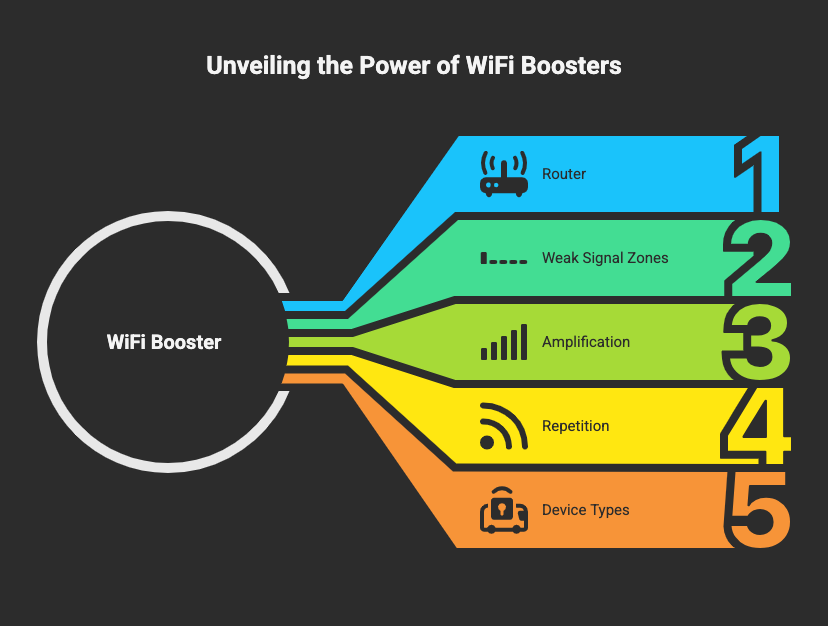
The term WiFi booster isn’t used consistently across the industry. In fact, it’s one of the biggest sources of confusion in the wifi booster vs extender search trend.
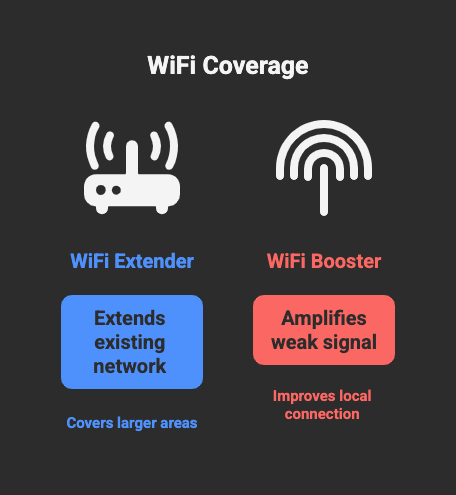
Most manufacturers and retailers use “booster” as a general label for products that improve WiFi coverage — including extenders, repeaters, and sometimes signal amplifiers.
Waveform’s breakdown explains that boosters, extenders, and repeaters often perform similar functions but are marketed with different names. (Waveform guide).
What a WiFi booster typically means
A booster usually refers to:
- A plug-in device that strengthens or repeats your existing WiFi signal.
- A general consumer-friendly name for extenders.
- Sometimes, a signal amplifier — though this is less common in modern setups.
Pros of a WiFi booster
- Quick, plug-and-play setup.
- Immediate improvement in weak-signal rooms.
- Good for small apartments or small dead zones.
- Usually inexpensive.
Cons of a WiFi booster
- Results vary widely depending on how the manufacturer defines “booster.”
- May offer similar limitations as extenders (speed loss, higher latency).
- Marketing can exaggerate performance.
When a WiFi booster makes sense
A booster is best when:
- You have a small area of weak WiFi near the router.
- You want the fastest possible setup.
- You’re not relying on that area for gaming or 4K streaming.
WiFi Booster vs Extender: Side-by-Side Comparison
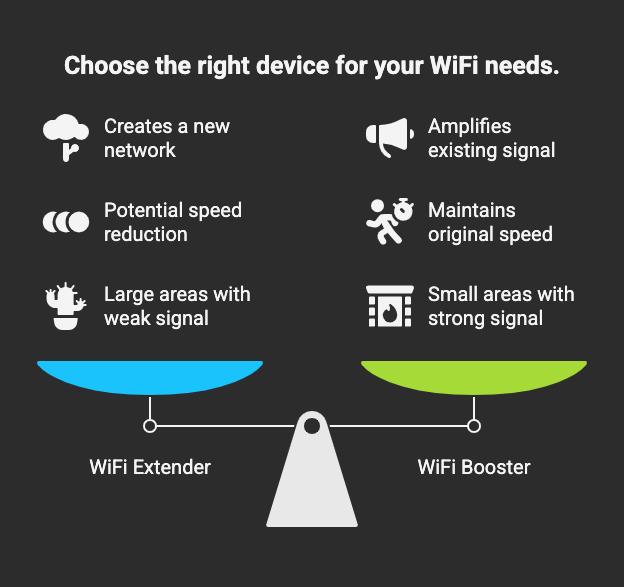
This is the section most homeowners skip to, because in real-world usage, the wifi booster vs extender difference comes down to performance and practicality.
| Feature | WiFi Extender | WiFi Booster |
|---|---|---|
| How it works | Receives and rebroadcasts router signal | Often same function; sometimes marketed differently |
| Speed impact | Can reduce speeds due to wireless backhaul | Similar, depending on model |
| Installation | Simple setup apps or WPS | Usually plug-and-play |
| Best use case | Far-away dead zones | Near-router weak spots |
| Seamless roaming | Sometimes no | Usually no |
| Cost | Low–mid | Low |
In simple terms: most boosters are extenders, but marketed differently.
The Truth: Your Home Layout Decides the Winner
Here’s the truth: Comparing wifi booster vs extender only gets you halfway to the right answer. The real decision depends on how your home is built and where your router sits.
Step 1: Check your router placement first
Many dead zones are caused by poor placement, not poor hardware. TP-Link’s placement guide recommends positioning the router centrally, elevated, and away from walls. (TP-Link WiFi tips).
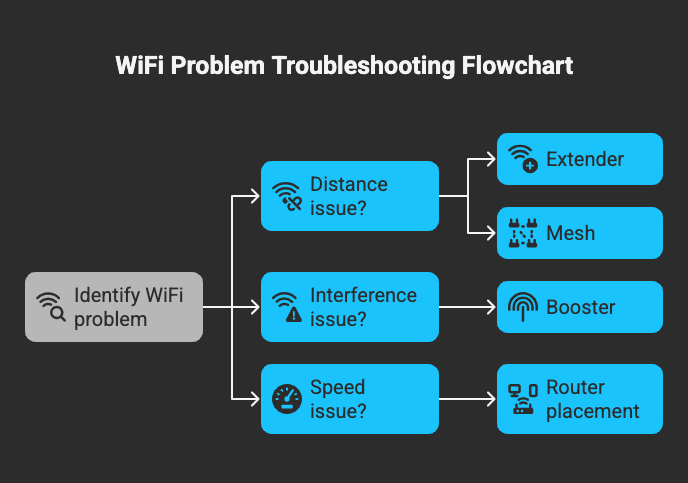
Step 2: Identify your problem type
- Distance problem: Rooms far from router → Extender works well.
- Interference problem: Thick walls or metal appliances → Neither may fully solve it.
- Speed issue near router: Booster may help, but often a router upgrade works better.
Step 3: Consider performance expectations
If you only need casual browsing, both boosters and extenders can help. But if you’re doing streaming or remote work, speed and latency matter. Wired’s tests show extenders can introduce delays, which is important for video calls and gaming.
Step 4: Consider future-proofing
If you want seamless roaming and consistent speeds across multiple rooms, a mesh WiFi system performs better than either option. Netgear explains why mesh systems outperform extenders in multi-story homes. (Netgear mesh overview).
Do You Need Something Better Than a Booster or Extender?
Sometimes neither device delivers the performance homeowners want. Before settling the wifi booster vs extender decision, consider these alternatives:
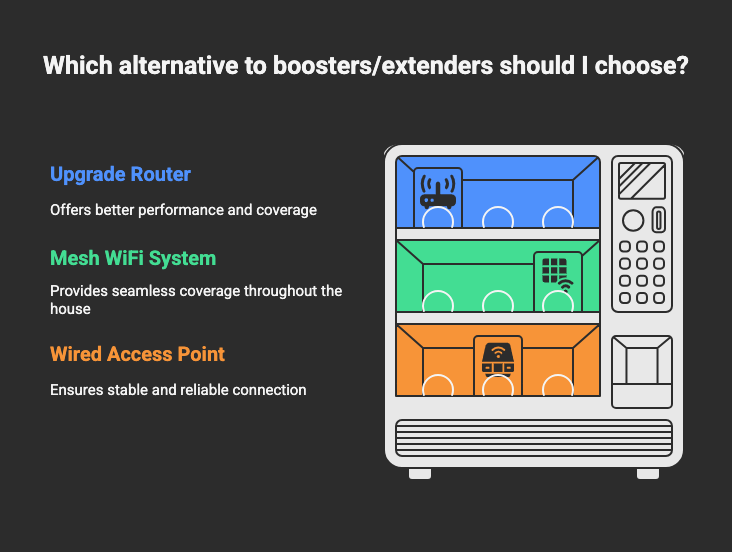
Upgrade your router
An outdated router may struggle with modern devices. WiFi 6 and WiFi 6E routers provide faster speeds, handle more devices, and reduce congestion.
Use a mesh WiFi system
Mesh systems use multiple nodes to blanket your home in consistent coverage. They solve the handoff and backhaul issues extenders struggle with.
Add a wired access point
If you can run Ethernet, a wired access point gives the best performance, full speed, low latency, and reliability.
Wired’s analysis strongly recommends mesh or wired access points for large or complex homes. (Wired WiFi recommendations).
How to Place Your Booster or Extender for Best Results
Placement is the biggest factor in how well your device performs, even more than the model you buy. Whether you’re comparing wifi booster vs extender, these rules apply:
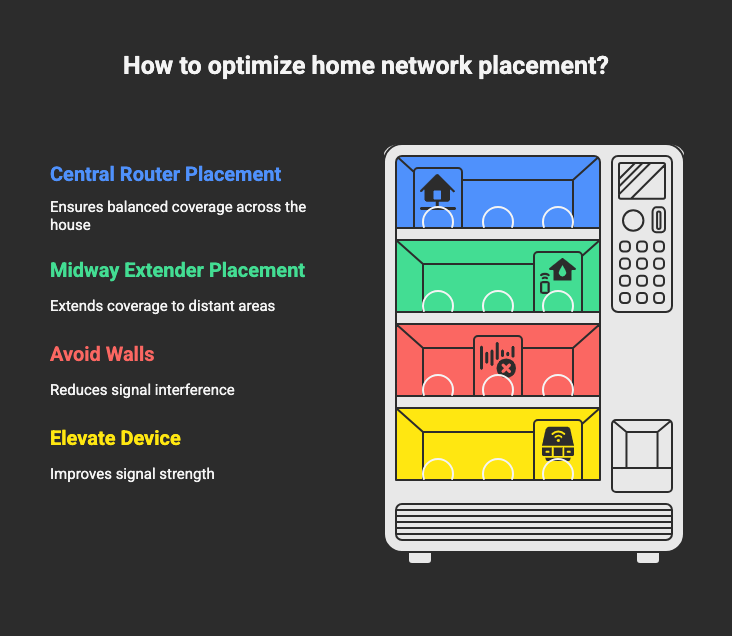
1. Use the midway rule
Place the extender halfway between the router and the dead zone, where it still receives a strong signal.
2. Elevate the device
Four feet off the ground helps avoid furniture interference. TP-Link’s guide stresses elevation for signal clarity.
3. Avoid interference sources
Microwaves, thick walls, and metal appliances disrupt WiFi.
4. Match frequency bands
If possible, connect the extender to the router using 5 GHz (better speed) and let devices connect via 2.4 GHz (better range).
5. Test, measure, adjust
Use free tools like Speedtest.net before and after installation to see improvement.
Final Take: Which Should You Choose in the WiFi Booster vs Extender Debate?
The difference between wifi booster vs extender isn’t as dramatic as the marketing implies. Instead, ask yourself:
- Do you need to reach a far-away room? → WiFi extender.
- Do you need a fast fix near the router? → WiFi booster.
- Do you need seamless, whole-home coverage? → Mesh or wired access point.
Start by adjusting your router placement, then pick a device based on the problem you’re solving, not the product name.
If you want, I can also create a comparison infographic or a short decision-flow chart you can add to your blog.
FAQs
1. Does a WiFi extender slow down the internet?
Yes. Extenders often reduce speed because they use wireless backhaul. Wired’s real-world tests show noticeable speed loss in many setups. (Wired testing).
2. Is a WiFi booster better for large homes?
Not usually. Large homes benefit more from mesh systems, which provide stronger backhaul and consistent performance. (Netgear mesh guide).
3. Can any router work with an extender?
Generally yes. Most extenders are router-agnostic. HP’s guide confirms compatibility with most brands. (HP WiFi extender guide).
4. Do WiFi boosters help with streaming and gaming?
They help with coverage but can introduce latency. Wired notes that gamers may notice delays, making mesh or wired connections better. (Wired analysis).
5. What’s the real difference between a repeater, extender, and booster?
In modern marketing, the terms overlap heavily. Waveform explains that repeaters and extenders rebroadcast WiFi, while “booster” is a general consumer term. [Waveform explainer]